3D ENVIRONMENT
Abandoned District – Modular Environment Bundle
OVERVIEW
Inside the pack.
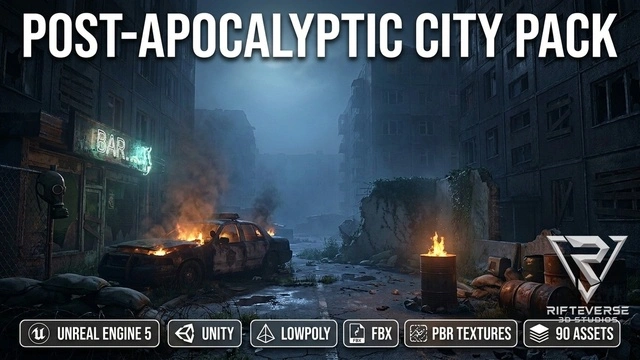
Build ruined urban environments, underground spaces, industrial sites and atmospheric post-apocalyptic scenes with Abandoned District – Modular Environment Bundle.
VISUALS
Images & Videos
PRODUCT INFORMATION
Details & Specifications
Build ruined urban environments, underground spaces, industrial sites and atmospheric post-apocalyptic scenes with Abandoned District – Modular Environment Bundle.
This complete environment pack brings together 359 distinct, placement-ready assets in one collection. Use its modular architecture, damaged streets, metro structures, industrial machinery, laboratory interiors, vehicles, furniture and environmental props to assemble custom locations or expand the supplied scenes.
It is suitable for survival games, horror projects, action-adventure environments, urban exploration, abandoned districts, cinematic productions and post-apocalyptic storytelling.
🔴 THE COLLECTION INCLUDES
• 359 unique Unity mesh in a single environment bundle.
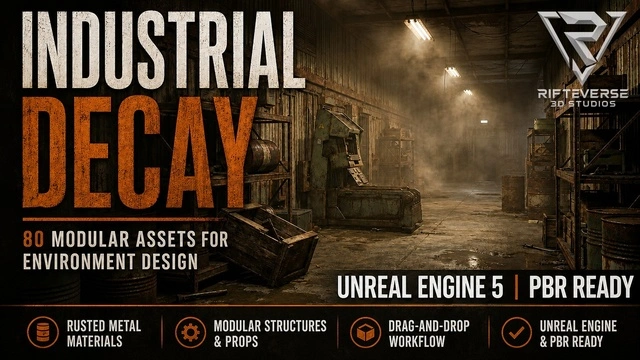
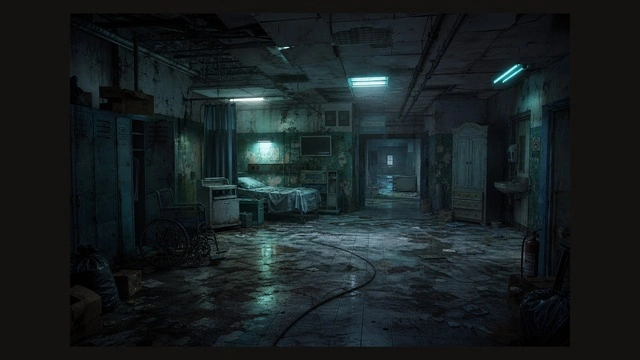
• Modular assets for ruined city streets, underground metro areas, a decaying factory and an abandoned laboratory.
• Separate LOD meshes and collision geometry for the supplied models.
• PNG textures and prepared URP materials in the Unity edition.
• A playable exploration Demo scene and an Overview scene displaying the prefab collection.
• A complete Unity project, a separate FBX source edition and import documentation.
🟡 FORMATS AND WORKFLOW
Unity: Open the supplied project with Unity 6000.3.24f1 (Unity 6.3 LTS). The prepared prefabs use Universal Render Pipeline 17.3.0, Input System 1.20.0, LOD Groups and collision geometry. The demonstrated target is desktop Windows.
FBX: Download all three FBX archives and extract them into the same destination. They form one Abandoned_Bundle_FBX folder with model LODs, PNG textures and separate collision meshes. Import the matching files and configure materials in your destination application.
🔴 TECHNICAL INFORMATION
• 359 distinct placement-ready Unity prefabs.
• 1,703 FBX files and 1,795 PNG texture files in the FBX source edition.
• 1,583 FBX source files, 987 PNG textures and 376 Unity material files in the Unity project.
• Four geometry levels (LOD0–LOD3) for the city, industrial and laboratory assets; three levels (LOD0–LOD2) for the metro assets.
• Unity model textures up to 2,048 × 2,048; FBX source textures at 2,048 and 4,096 pixels.
• Two Unity presentation scenes, two C# navigation scripts and two scene shaders.
• No normal maps are included.
🟡 IMPORTANT NOTES
The Unity edition requires URP and Input System. No other Asset Store product is required. Built-in Render Pipeline, HDRP, mobile platforms and Unity versions earlier than 6.3 are not supported configurations of this edition. The FBX edition requires material setup in the application where it is imported.
The supplied Demo is an explorable environment showcase; the Overview presents the asset collection. The included User Guide explains installation, scene paths, controls and troubleshooting.
Support
For questions or technical assistance, email support@rifteverse.com or open a ticket in the Support tab. We will respond very quickly.
Unity · TECHNICAL DETAILS
🔴 UNITY EDITION — 359 ASSETS
The complete Abandoned District environment is supplied as one Unity project with 359 placement-ready prefabs for ruined streets, underground spaces, industrial sites and laboratory interiors.
🟡 INCLUDED CONTENT
• 359 prefabs with prepared URP materials, LOD Groups and collision geometry.
• 1,583 FBX source files, 987 PNG textures and 376 Unity material files.
• Two scenes: Abandoned_Bundle_Demo for exploration and Abandoned_Bundle_Overview for viewing the full collection.
• Two C# navigation scripts, two scene shaders and a User Guide.
• Three or four LOD levels per asset, depending on the source model.
🔴 REQUIREMENTS AND SETUP
Prepared in Unity 6000.3.24f1 (Unity 6.3 LTS), URP 17.3.0 and Input System 1.20.0 for desktop Windows. Extract the full project before opening it in Unity Hub. Unity restores the packages declared by the project.
For import into an existing Unity 6.3 URP project, retain the complete Assets/Rifteverse3DStudios folder and its .meta files, install Input System 1.20.0, enable the new Input System and assign the supplied PC_RPAsset for the intended Demo appearance.
🟡 TECHNICAL NOTES
Model textures reach 2,048 × 2,048; the sky image is 1,024 × 512. No normal maps are included. Built-in Render Pipeline, HDRP, mobile and older Unity versions are not supported configurations. The Demo is an environment showcase, not a complete game.
Support
For questions or technical assistance, email support@rifteverse.com or open a ticket in the Support tab. We will respond very quickly.
FBX · TECHNICAL DETAILS
🔴 FBX EDITION — COMPLETE BUNDLE
The FBX edition supplies the complete Abandoned District environment as one collection of 359 distinct assets. It includes modular urban, underground, industrial and laboratory models for custom levels, cinematic scenes and post-apocalyptic environments.
🟡 INCLUDED SOURCE FILES
• 1,703 FBX files covering the main models, lower-detail LODs and separate collision meshes.
• 1,795 PNG texture files at 2k and 4k
• Three and four geometry levels per asset, according to the supplied source model.
🔴 DOWNLOAD AND IMPORT
Download all three FBX archives and extract each into the same destination. Merge the shared Abandoned_Bundle_FBX folder to assemble the complete 359-asset collection. The archives contain different files; each asset keeps its related LODs, textures and collision data together.
Import LOD0 as the main model, assign the matching PNG maps and configure the lower-detail LODs and collision meshes in your destination application. Read README_Import.txt for the folder layout and setup instructions.
🟡 TECHNICAL NOTES
The source models are triangulated and include one UV channel. No normal maps, vertex colors or skeletal animation are supplied in this edition. Materials must be configured in the destination application. The separately supplied Unity edition provides prepared URP materials, prefabs and two presentation scenes.
Support
For questions or technical assistance, email support@rifteverse.com or open a ticket in the Support tab. We will respond very quickly.
COMMUNITY FEEDBACK
Pack Reviews
Visitor reviews collected on this site. Purchases are not verified against external stores or Unity.
No published reviews yet. Be the first to share your experience.
EXPLORE THE COLLECTION
Related packs
More from the same themes in the collection.